
Android app development for Google Play and rugged handhelds
ScalaCode is an Android app development company that writes native apps in Kotlin and Jetpack Compose. We ship consumer apps through Google Play and replace legacy handheld software on Zebra and SUNMI devices for retail and hospital teams.

1,300+ clients in 45+ countries
Clutch 4.8/5 from 33 verified reviews
projects shipped since 2012
Trusted by teams at







What Android app development covers
Most of the effort on Android goes into the spread of devices and OS versions your users carry.
- What is Android app development?
- Android app development is the design, engineering and release of applications for phones, tablets and handheld devices running Google's Android OS, usually written natively in Kotlin with Jetpack Compose. It covers the app itself, testing across device makers and Android versions, the backend it calls, and publishing through Google Play or direct installation on company devices.
Related: mobile app development for iOS and cross-platform apps.
Kotlin app development: the Android apps we build
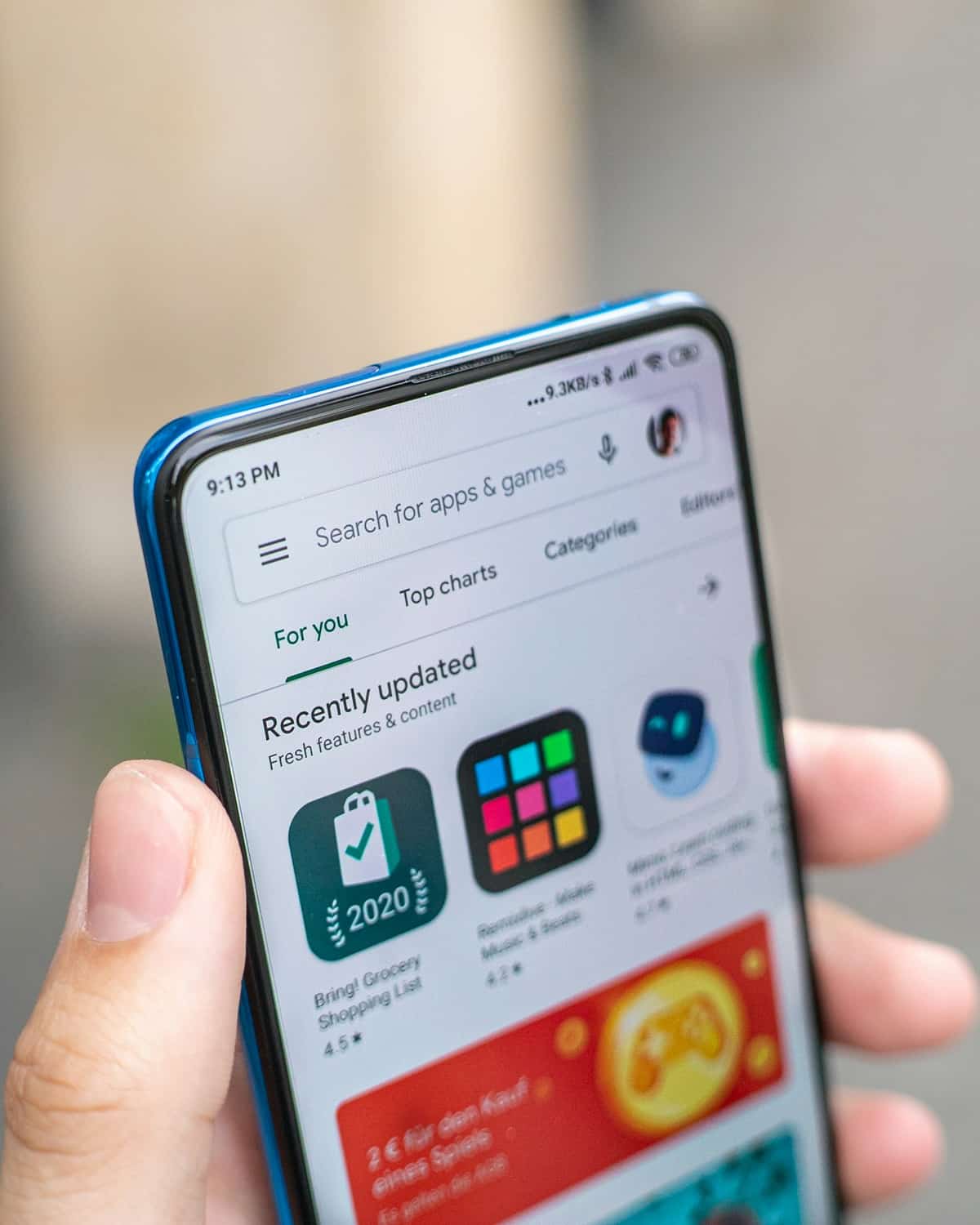
Some of our Android apps reach the public through Google Play. Others run on company handhelds inside stores and hospital storerooms.
Consumer apps on Google Play
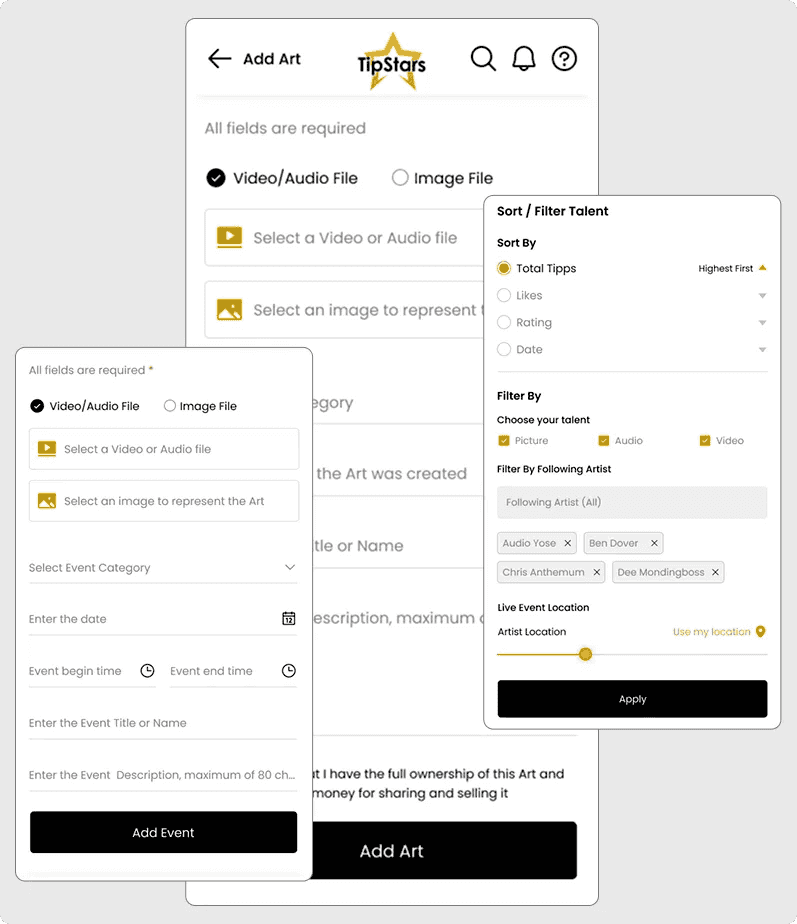
Kotlin and Jetpack Compose apps with payments, push notifications and live updates. The TipStars Android client is one of them, running on the same Laravel API as its iOS app.
Read the TipStars case studyRugged handheld and POS apps
Stock, order and storeroom apps for SUNMI and Zebra devices, with barcode scanning built into every workflow and screens designed to keep input errors low.
Legacy handheld replacement
Software from DOS and Windows handhelds rebuilt as Android apps, delivered workflow by workflow so stores and wards keep running during the switch.
Read the SHG Group case studyOffline-first field and store apps
Apps that keep working without a signal. Data is held in SQLite on the device and syncs with your back-office system once the device reconnects.
Connected vehicle and device apps
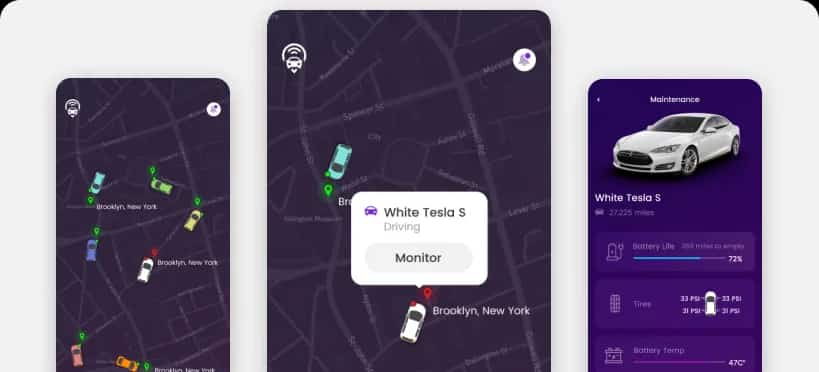
Companion apps that read live data from vehicles or hardware and send commands back, such as the CarKenny app for tracking, remote locking and EV charging control.
Takeovers of existing Android apps
A technical audit of the code, build setup and open crashes comes first, then a stabilisation sprint before new features. Java modules can stay in place, since Kotlin calls Java code directly.
Still running stock or storeroom work on an old handheld?
Tell us the device, the workflows and the system it syncs with. We will outline a phased move to Android that keeps your teams working.
Android native development or cross-platform: when Kotlin is the right call
Pick native Kotlin when Android is your main platform or the app depends on device hardware. Pick Flutter or React Native when you need iOS and Android from one budget and the app is mostly screens, forms and API calls.
| Native Android (Kotlin) | Cross-platform (Flutter, React Native) | |
|---|---|---|
| Best for | Android-first products, company-issued handhelds, apps built around scanners, cameras or vehicle hardware | Consumer and business apps that need iOS and Android at launch |
| Device and vendor SDKs | Called directly from Kotlin, the language the device makers document | Called through native modules or plugins that someone has to write and maintain |
| Codebases | One Android codebase, plus a separate iOS app if you need one | One shared codebase for both platforms |
| Where it falls short | A second platform means a second team and a second codebase | Hardware-heavy and offline-heavy apps end up with a lot of native code anyway |
For iOS, Flutter and React Native work, see our mobile app development services.
Building for rugged Android handhelds
Store and storeroom apps fail in different ways from consumer apps. These are the patterns we used on the RMEPOS and SHG Group builds.
Offline first, sync on connect
Every scan and count is written to SQLite on the device first. The app syncs with the EPOS or back-office system when the device connects, so a dead spot in the stockroom loses nothing.
Large files without a frozen screen
RMEPOS import and export files run past 100,000 lines. Parsing runs on Kotlin coroutines through the Android File API, so the screen stays responsive while the file loads.
Barcode scanning in every workflow
Price checks, stock counts, issues, returns and patient charges all start from a scan, which cuts manual typing on hardware used all day.
Phased rollout by workflow
Orders and deliveries go live first, then price checks, stock takes and transfers. Each phase ships to devices while the old terminal still covers the rest.
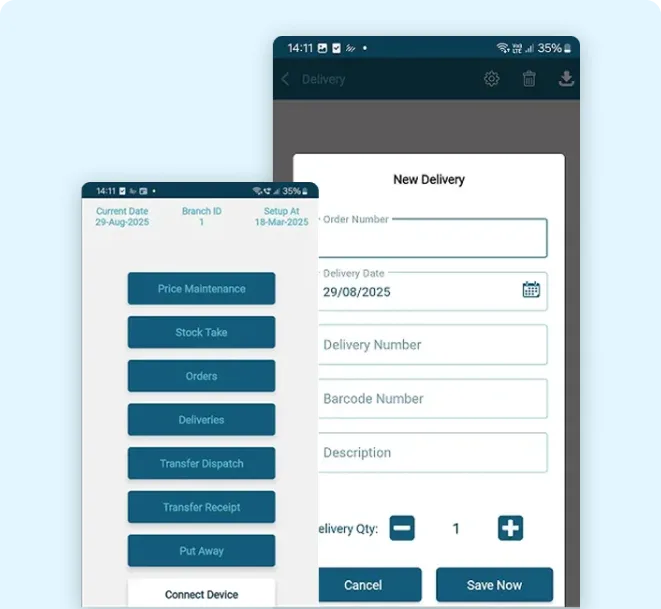
RMEPOS: an Android stock and order app for SUNMI L2S Pro terminals
ScalaCode replaced RMEPOS's DOS-based Unitech HT630 stock terminal with an Android app for rugged SUNMI L2S Pro devices. Store teams handle orders, deliveries, price checks, stock takes and transfers offline, and data syncs with the EPOS system when the device connects.
stock and order operations
How we build and release an Android app
A test build on your devices every two weeks, through the Google Play internal testing track or direct install on company hardware.
The Android stack we work in
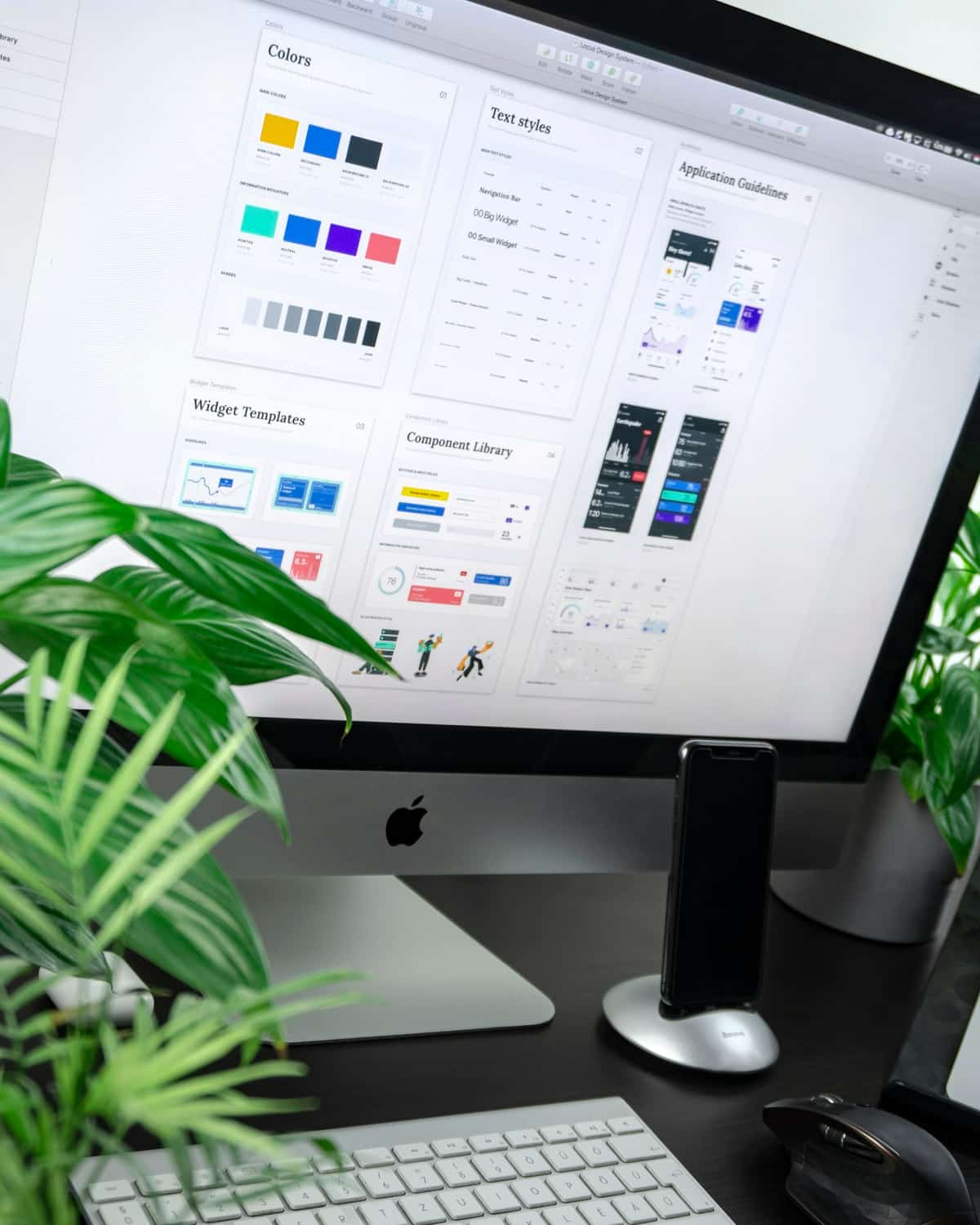
Kotlin first, with Java where an existing codebase or vendor SDK needs it.
Device data, access and compliance
Handhelds get lost and phones get shared, so data protection on the device is part of the build spec. SOC 2, HIPAA or GDPR controls are written into the scope during discovery.
Data on the device
Data held on the handset gets password protection and secure storage, as on the RMEPOS app.
Data in transit
Every sync and API call between the app and your systems runs over HTTPS.
Your repositories and pipeline
We work in your GitHub or GitLab, code review and CI, so every change is traceable.
Certified delivery process
Delivery follows an ISO 9001:2015 certified quality process.
One team, 14 years of shipping
projects shipped since 2012
clients across 45+ countries
AI systems running in production
on Clutch, from 33 verified reviews
Android app development cost and engagement models
A first Android release built as an MVP, one platform and the core workflow, starts from $9,999 and takes 6 to 8 weeks. Dedicated Android engineers start from $1,799 a month, full-time.
Project-based
Scope, timeline and milestone payments are agreed after discovery. We own delivery through to the Play release or device rollout.
Best for a new app or a handheld replacement with known workflows.
Dedicated team
Engineers who work only on your product, inside your process and tools.
Best for an Android roadmap that runs for months.
Hire mobile developers
Time and materials
Pay for the hours used, with a monthly cap, while the scope is still moving.
Best for audits, takeovers and specs still being written.
Rated 4.8/5 by the clients we build for
Verified reviews from Clutch and GoodFirms, and clients on camera.
33 verified reviews on Clutch

 Trustpilot review★★★★★
“The application was basically built from scratch, and was complicated, as the software was to be integrated with a certain Medical EHR software.”
 Clutch review★★★★★
“The iOS and Android apps exceeded the expectations of the internal team.”
Clutch review★★★★★“The team helped me developed an app for IOS and Android and were always on point to address my requests.”
Trustpilot review★★★★★“The team was easy to communicate with, kept us updated, and delivered an app that looks modern and works smoothly on both iOS and Android.”
“Their approach, dedication and project execution played a critical role in TipStars' success.”
 GoodFirms review★★★★★
“They built a high-performance, AI-powered platform that transformed video engagement for learning.”
Clutch review★★★★★“They gave us clear timelines and met them.”
Android app development FAQs
Ask anything not covered here on the call.
How much does Android app development cost?
A first Android release built as an MVP starts from $9,999 for one platform and the core workflow. Larger apps and handheld replacements get a fixed quote after a free discovery sprint. Dedicated Android engineers start from $1,799 a month, full-time.
Should we build native Android or use Flutter or React Native?
Build native in Kotlin when Android is your main platform, when the app runs on company handhelds, or when it depends on scanners, cameras or vehicle hardware. Choose Flutter or React Native when you need iOS and Android at launch on one budget. Our mobile app development page compares the options in more detail.
How long does it take to build an Android app?
An Android MVP takes 6 to 8 weeks after a discovery sprint of 1 to 2 weeks. Replacing legacy handheld software runs in phases, one group of workflows at a time, so the timeline depends on how many workflows the old system covers.
Can you build apps for Zebra, SUNMI or other rugged Android devices?
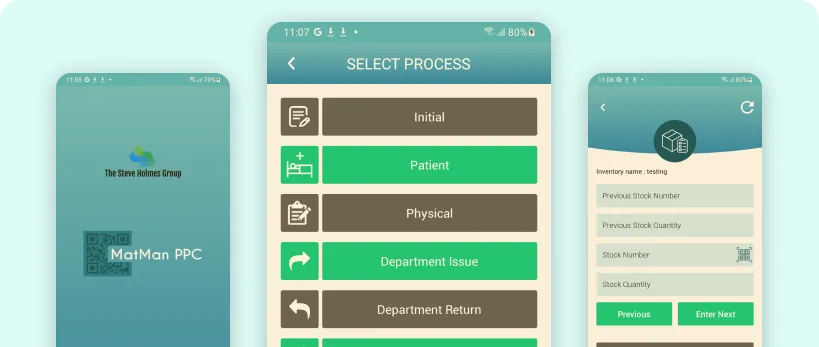
Yes. We built the RMEPOS stock and order app for SUNMI L2S Pro terminals and the SHG Group materials management app for Zebra handhelds. Both use barcode scanning throughout and store data on the device for offline work.
Can you replace our Windows or DOS handheld software with an Android app?
Yes. RMEPOS moved from a DOS Unitech HT630 terminal and SHG Group from Windows handhelds. We study the legacy workflows and data formats first, then deliver the Android app in phases so teams keep working during the switch.
How do you test across Android devices and versions?
We agree a target device list in discovery, based on your analytics or the hardware you deploy, and test against it. Espresso and JUnit tests run automatically on every change, and every release goes through staging before it reaches users. Apps for automotive clients add Android Auto to that test matrix.
Do you handle Google Play submission and policy updates?
Yes. We prepare the Play Console listing, testing tracks and policy declarations, and respond to review feedback. After launch we keep the app current with new Android versions and Google Play target API requirements.
Can you take over our existing Android app?
Yes, after a technical audit of the code, build setup and crash history. Most takeovers start with a stabilisation sprint of about four weeks before new feature work.
Who owns the code and the Google Play account?
You do. You own the source code and IP under the agreement signed at discovery, and we recommend publishing under your own Google Play developer account so the listing stays yours.
Their approach, dedication and project execution played a critical role in TipStars' success.
 James EllisFounder, TipStars
Get an Android plan for your app or device fleet
- A free 30-minute call
- Native Kotlin or cross-platform, with the reasons
- What it costs and how long it takes
“Their approach, dedication and project execution played a critical role in TipStars' success.”
James Ellis, Founder, TipStars