Try Style: AI virtual try-on for fashion eCommerce
ScalaCode built Try Style's AI try-on and fit platform for fashion retail. From one photo, shoppers get body measurements, a recommended size and a photorealistic try-on. One backend serves the Shopify app, the WooCommerce plugin, a JavaScript SDK, a Flutter shopper app and an in-store kiosk.
A try-on and fit platform for fashion retailers
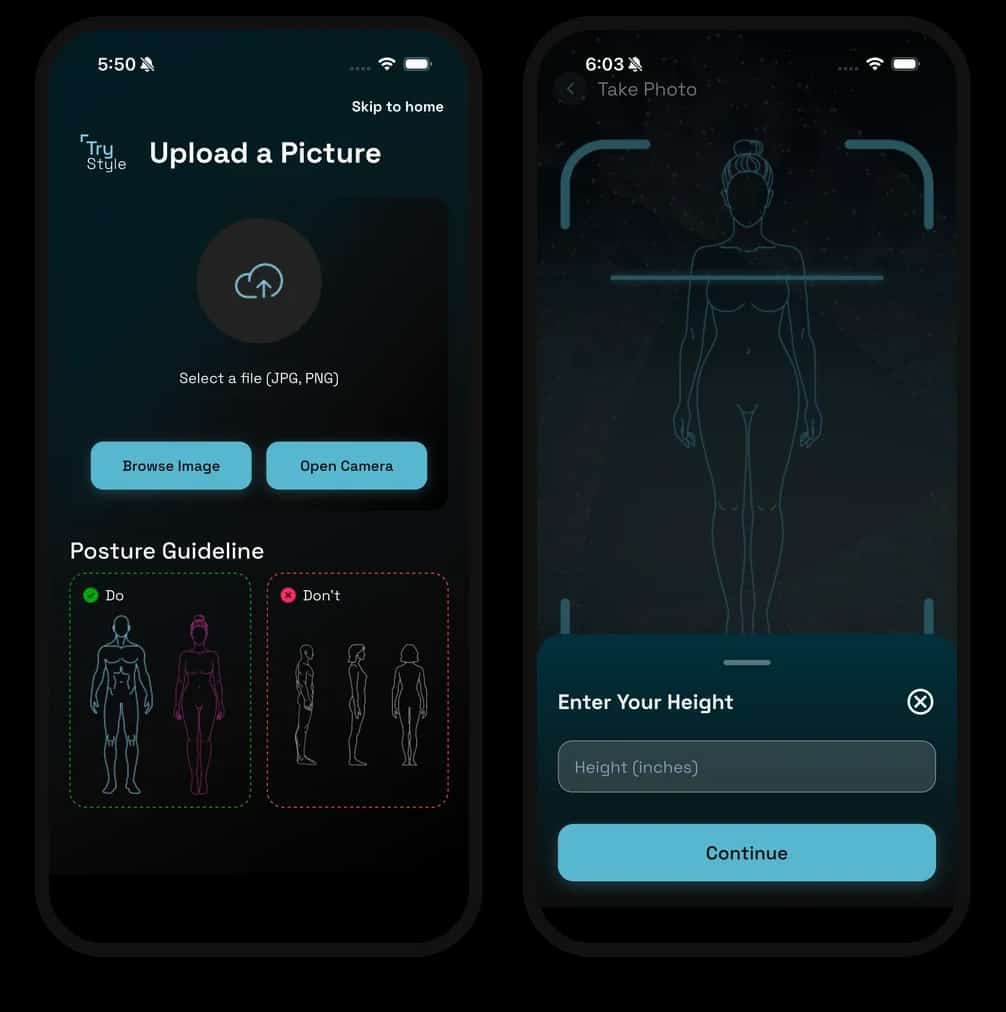
Try Style helps fashion retailers show shoppers how clothes will look and fit before they order. A shopper uploads one photo and enters their height, then sees a recommended size and the garment on their own body, on the retailer's store, in the Try Style app or at an in-store kiosk.
What the platform had to do
Photorealistic try-on from one photo
Each garment has to keep its print, fabric and cut on the shopper's own body, for single items and for outfits of up to three layered pieces.
Size advice from a photo
Body measurements have to come from a single photo and the shopper's height, then map onto each retailer's own size chart.
Check photos before the GPU runs
Pose, framing, faces and unsafe images had to be checked up front, so the expensive models only run on photos that will give a usable result.
One catalog behind every channel
Retailers sell on Shopify, WooCommerce and custom stores, shoppers browse on phones and events need a kiosk. All of them share one catalog, one identity system and one set of models.
Privacy for body photos
Shoppers' photos are sensitive, so retailers needed an account mode where media is processed for the try-on and then deleted.
One backend and a GPU inference stack behind every channel
Everything runs through one central API, which handles the catalog, the models and the analytics. Each store plugin, app and kiosk talks to it.
- 01
Diffusion try-on
A diffusion model on a dedicated GPU renders single, combo and layered looks from a garment collage, and fallback models sit behind it. A job queue streams progress back. The front view arrives first, and the side and back views follow.
- 02
Body measurement from one photo
3D body models estimate the shopper's shape from the photo and their height, then a correction step refines the measurements. Upper and lower sizes are matched against each retailer's size chart.
- 03
Photo checks before inference
Before any model runs, the photo is checked for pose, framing, faces and image safety, so only usable photos reach the GPU. Try-on and measurement share one GPU, and a shared lock stops them colliding.
- 04
Catalog ingestion and garment extraction
Products sync from Shopify, WooCommerce and Medusa. Image models strip backgrounds and cut out each garment through a queue that retries on failure. Each colourway becomes a separate product, so the shopper lands on the right variant.
- 05
Store plugins and SDK
A TypeScript SDK with no dependencies puts a Try This On button on any site. The Shopify app installs itself and creates the retailer's account. The WooCommerce plugin places the button under add to cart, and the recommended size goes straight into the cart.
- 06
Shopper app and event kiosk
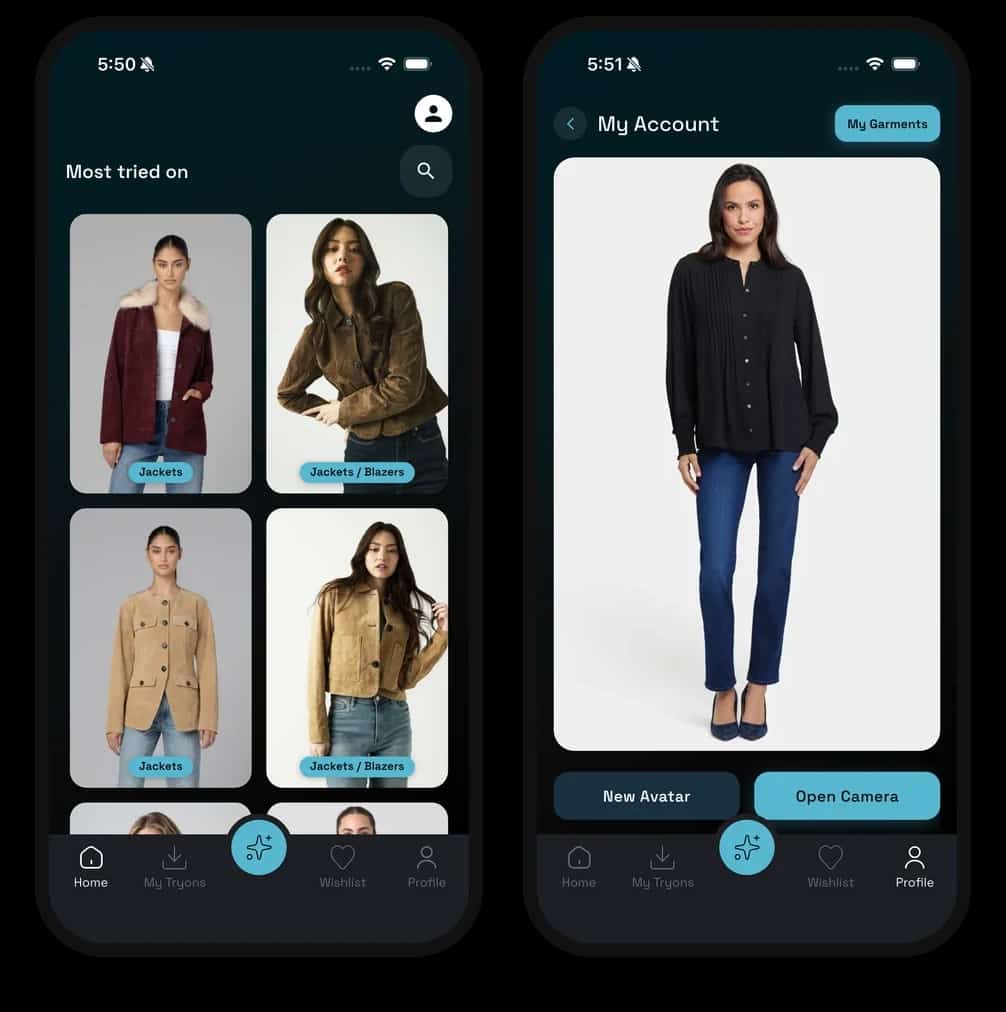
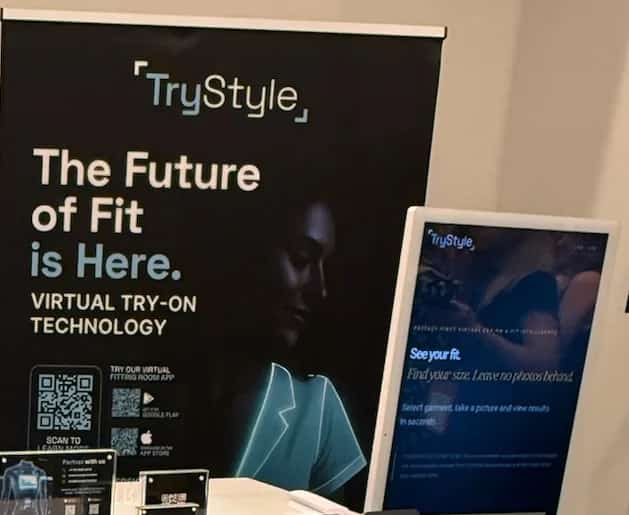
In the Flutter app for iOS and Android, shoppers browse several retailers, try on single, combo and layered looks, scan their body and keep a wardrobe. At events, a portrait touchscreen kiosk runs the same flow and passes the result to the visitor's phone with a QR code.
- 07
Privacy First accounts and admin
With a Privacy First account, the photo is deleted as soon as the try-on is made and results stay on the shopper's device. Every kiosk works this way. Retailer onboarding, model settings, API keys, roles and try-on to add-to-cart analytics are managed in a React admin.
One photo in, a size and a try-on out
Shoppers see a recommended size and a photorealistic try-on of single, combo or layered looks from one photo, on the retailer's store, in the app or at a kiosk. Retailers install the plugin without code and follow each try-on through to add to cart. Sarah LaValle's Medusa.js store, also built by ScalaCode, runs Try Style try-on.
for measurements, size and try-on
layered in one try-on
Inside Try Style
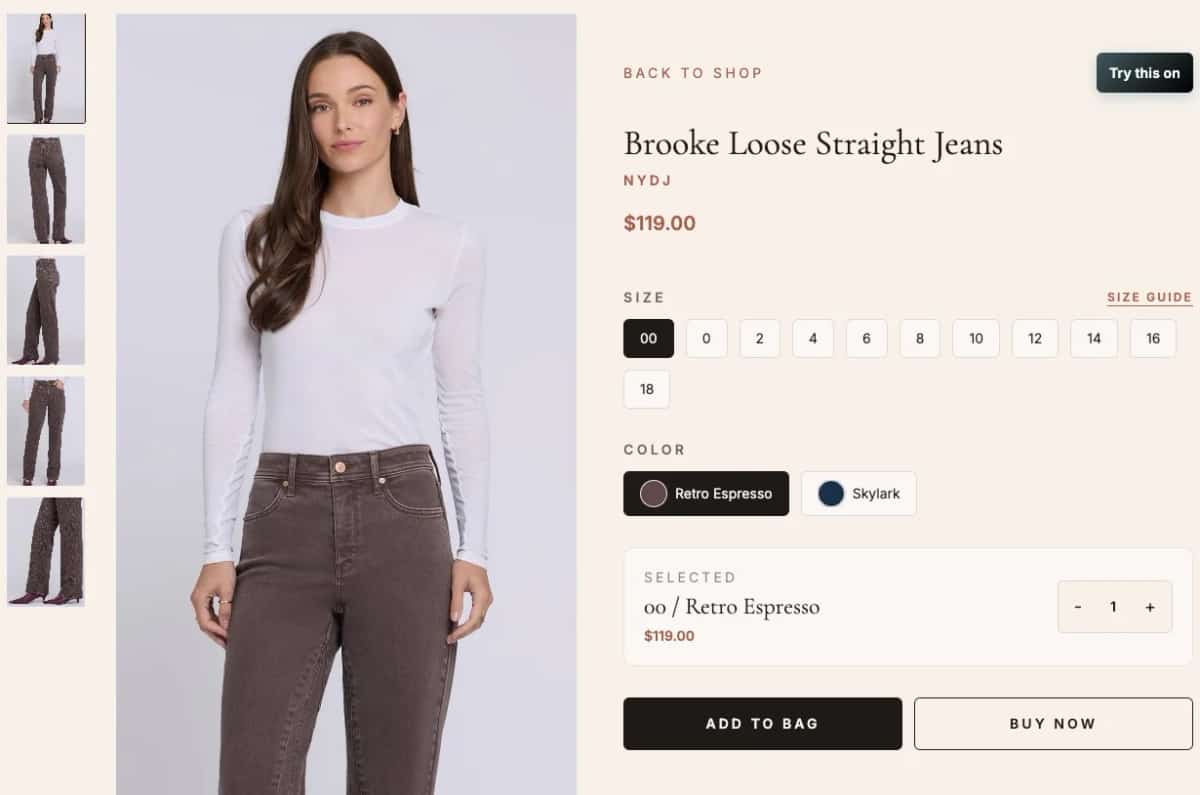
- Try this on button on the Sarah LaValle store
- Try Style kiosk at an event stand
What Try Style runs on
Diffusion try-on, 3D body models, image and text models
Pose, face and image-safety checks
Python APIs, a job queue and monitoring on a dedicated GPU
TypeScript API with a relational database
Flutter, React, Next.js
Shopify app, WooCommerce plugin, JavaScript SDK, Medusa
Google Cloud
Plan a build like Try Style for your business
- 30 minutes with the ScalaCode team
- What is realistic, what it costs and how long it takes
- You decide afterwards whether to build with us